
The family chores board for your kitchen wall
Ingle puts everyone’s chores, points and pocket money on a tablet the whole family can see. Tick things off with one tap, let grown-ups put mistakes right, and turn it into a photo frame when nobody’s looking.
Free and open source, and happy on a Raspberry Pi. It’s set up for UK families from the start, with pounds and pence, dates as DD/MM/YYYY and weeks that begin on Monday.
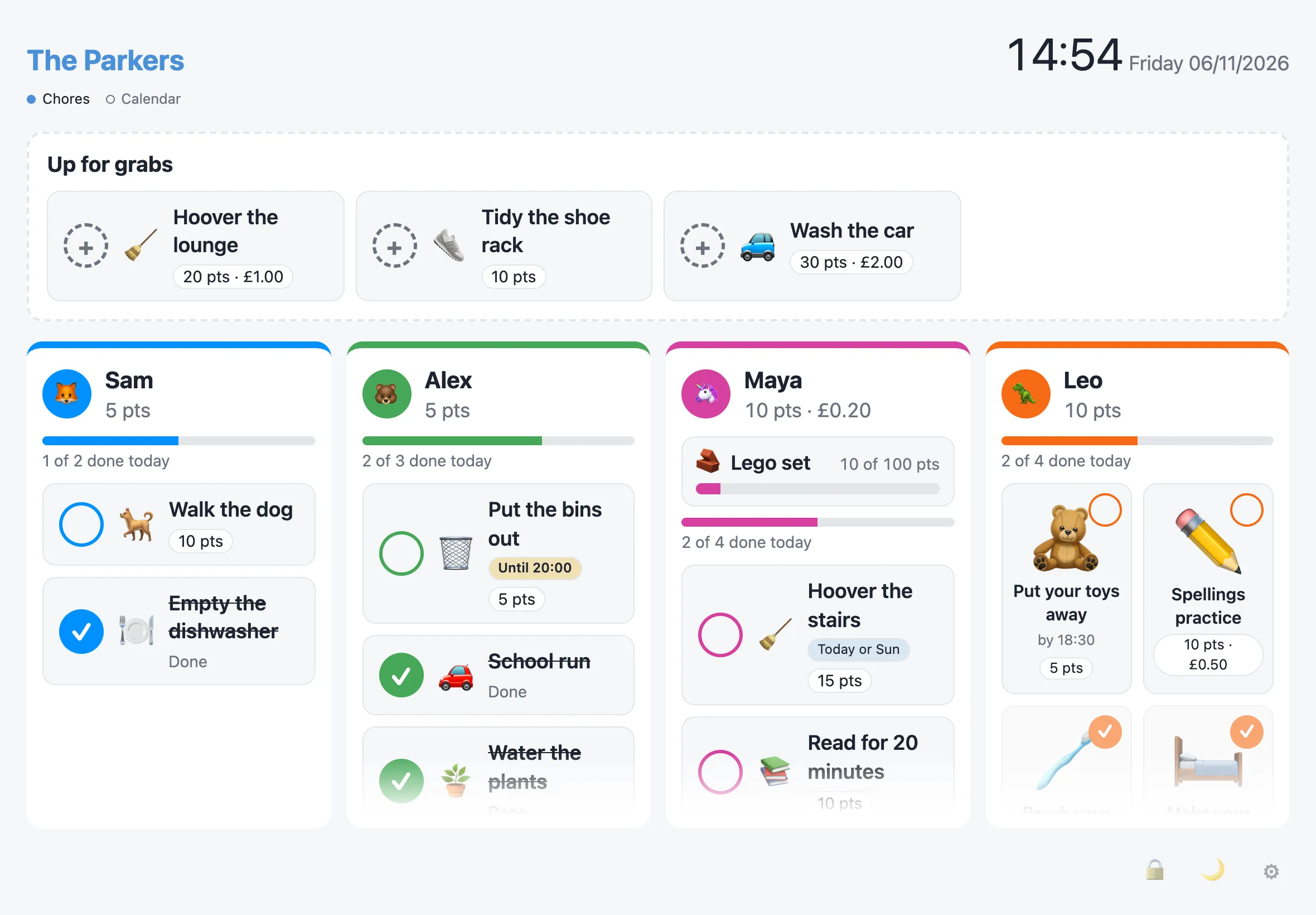
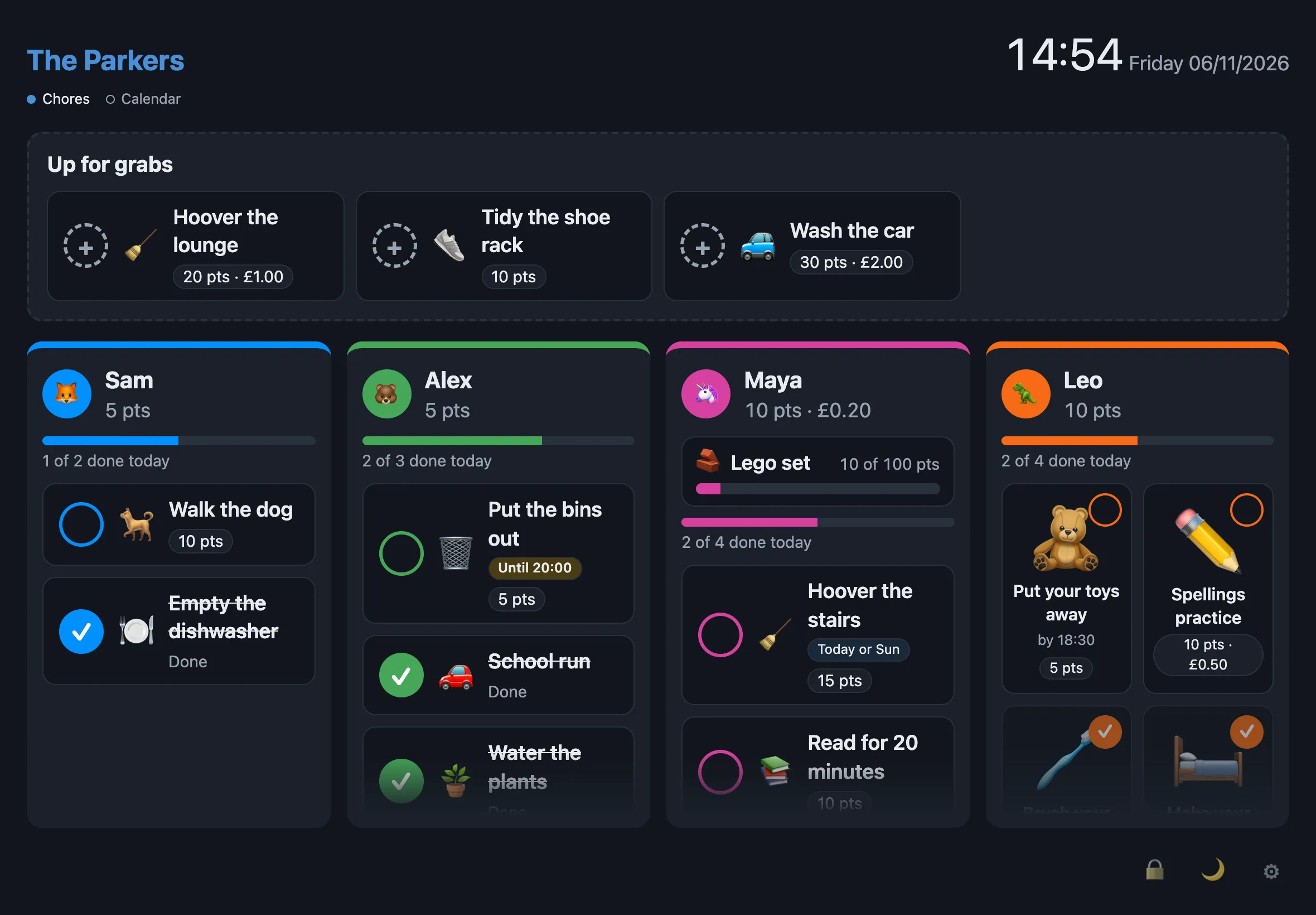
What Ingle does
Set out the way it looks on the board, with everything already ticked off.
For the kids
All done today 🎉
- One tap and it’s done
- Points and pocket money
- Up for grabs
For grown-ups
All done today 🎉
- Honour system, with undo
- Check before it counts
- Run it from your phone
For the wall
All done today 🎉
- Screensaver and photo frame
- Lock it when you’re out
- Installs like an app
For your server
All done today 🎉
- One binary, one SQLite file
- Docker on amd64 and arm64
- Nightly backups
Coming soon
- Hosted Ingle
- API and MCP for your home AI
On the wall, all day
Ingle lives on a wall-mounted iPad, and looks after itself when nobody’s using it.
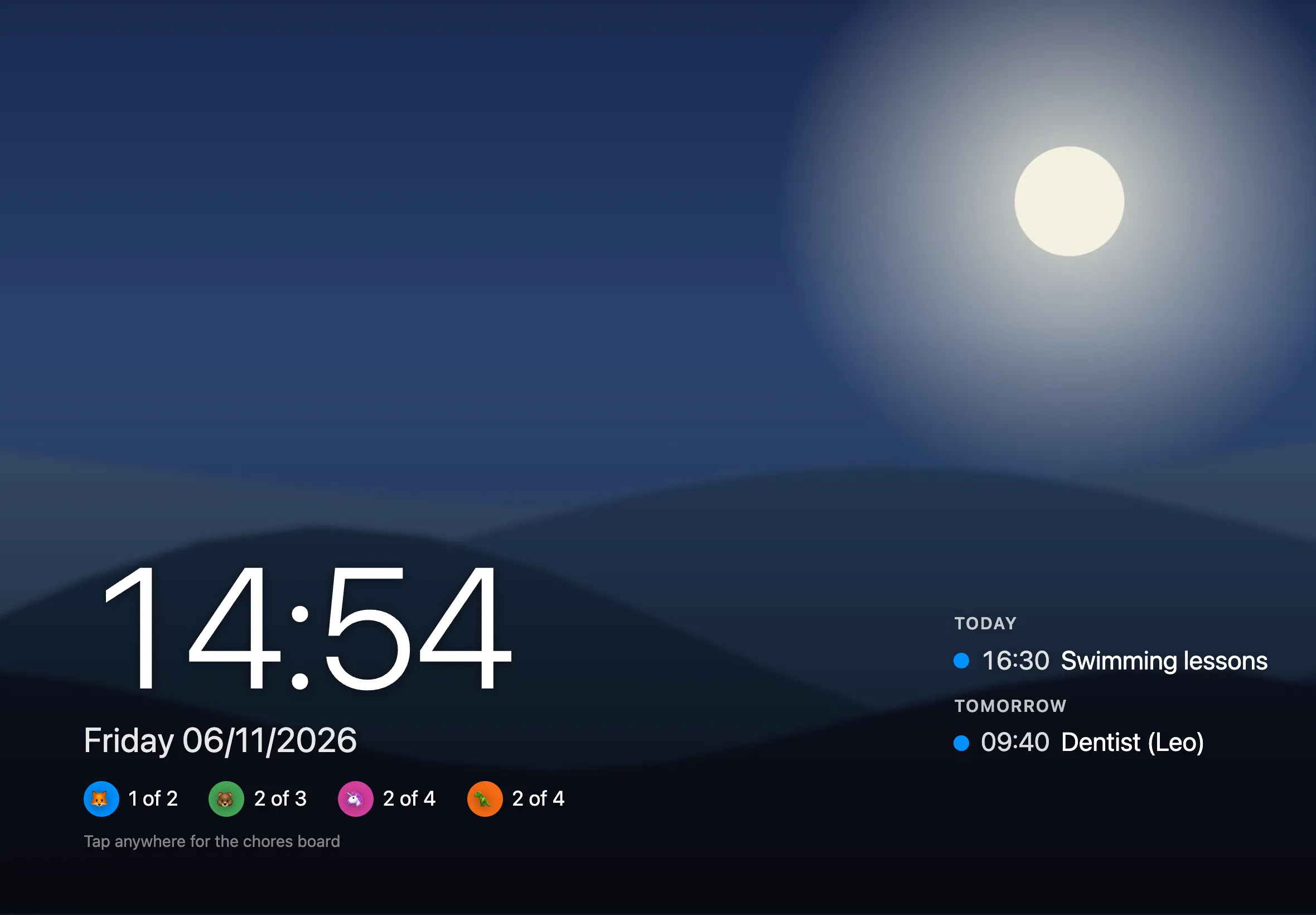
A photo frame when it’s idle
After a few quiet minutes the board fades into a slideshow of your photos, with the time, what’s on from your calendars, and how everyone’s getting on. A tap brings the board back, and only wakes the screen, so nothing gets ticked by accident.

Locked when the house is empty
Lock every display from your phone, on a weekly schedule, or after hours of no use.
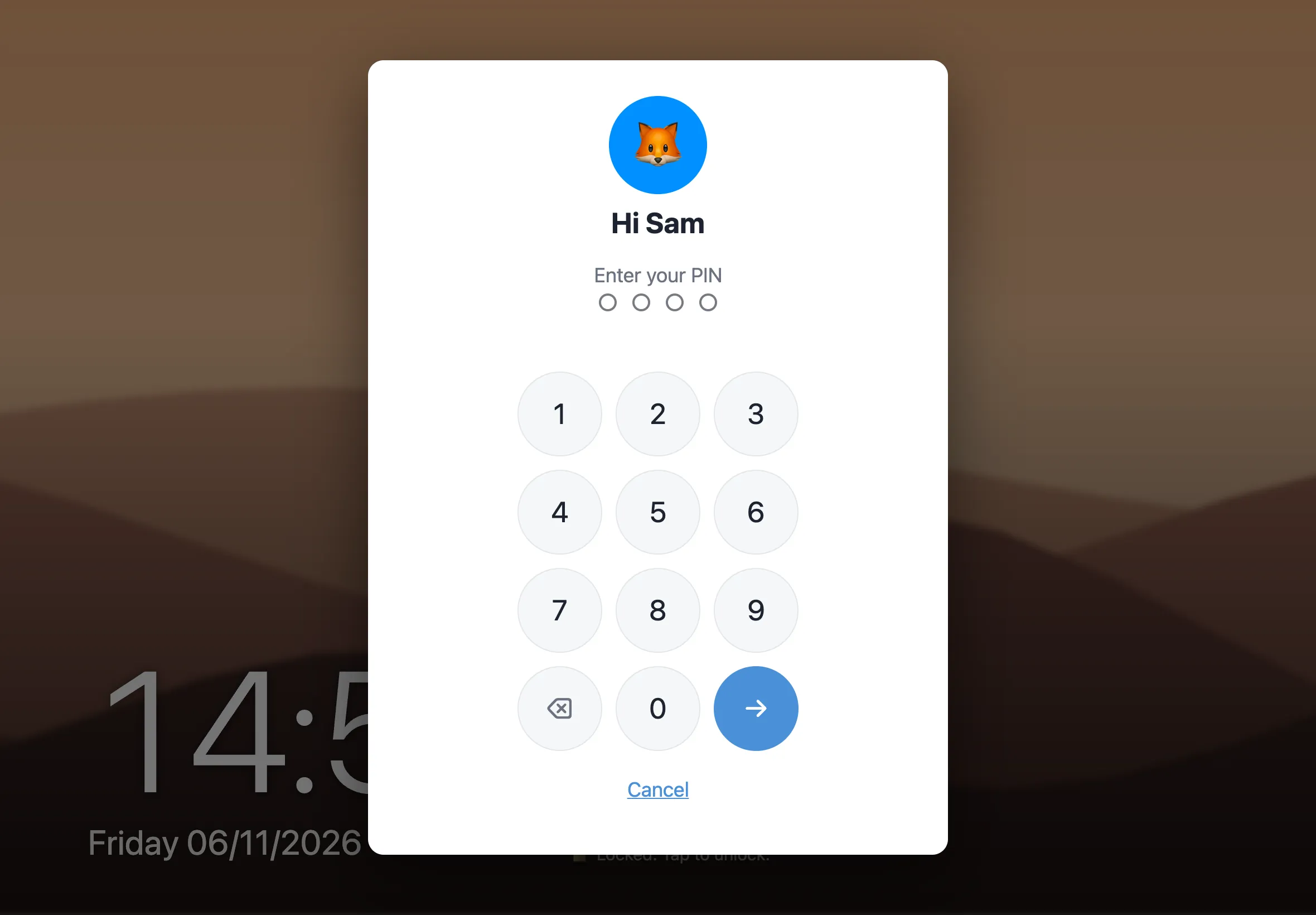
Unlock with a PIN
Pick who’s unlocking and enter their PIN, or use a household code.
Light or dark, it follows the iPad
Every open board, on the wall or in your pocket, updates live the moment anything changes. Everyone gets their own colour, emoji or photo.
Run it at home, for free
Ingle is open source under the AGPL-3.0. It’s a single Go binary with a SQLite file, so it runs happily on a home server, a NAS or a Raspberry Pi. You don’t need an account with us, and your family’s data never leaves the house.
- Docker image for amd64 and arm64 on GHCR
- HTTPS with Caddy, even on a home network
- Nightly backups, and migrations that run themselves
Try it with Docker
$ docker run -d --name ingle \
    -p 8080:8080 \
    -v ingle-data:/data \
    ghcr.io/lukeskelhorn/ingle:latest
Then open http://localhost:8080 and set up your household. For a proper home-server setup, see the install guide.
Hosted Ingle is on its way
Not up for running a server? We’ll host it for you. It’s the same Ingle, with the backups, updates and HTTPS looked after.