
The board
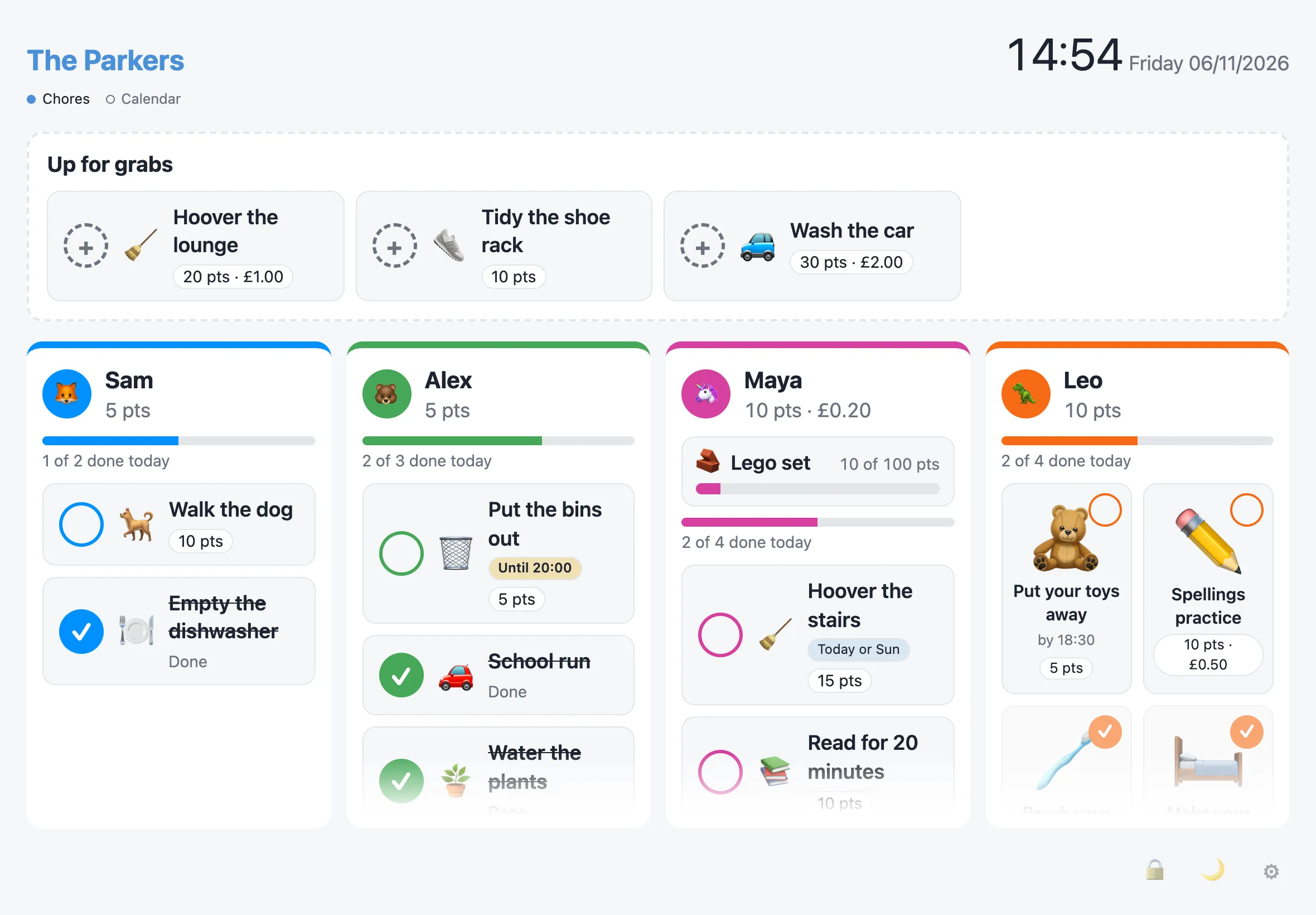
The board has a column for each family member, adults included. Each column shows their points and £ balance, how much of today they’ve done, and their chores. Chores anyone can claim sit in Up for grabs at the top.
Every open board (the wall iPad, a second display, an adult’s phone) updates live when anything changes.
Ticking off chores
Section titled “Ticking off chores”- Tap one of your own chores to mark it done. The points are added straight away, unless the chore needs a grown-up to check it.
- Tapped the wrong thing? Undo appears for a few seconds after each one.
- Shared chores (set to Any of these people) show in each person’s column, with small avatars of the others. Whoever ticks it first gets the points, and it’s gone from everyone else’s column.
Up for grabs
Section titled “Up for grabs”Tap a chore in Up for grabs, pick who you are, then choose:
- I’ll do it: it moves to your column, so nobody else takes it.
- It’s done: you’ve already done it, and the points are yours.
Give back returns a claimed chore to Up for grabs.
Late, missed and flexible chores
Section titled “Late, missed and flexible chores”- Overdue: a chore that wasn’t done stays up, marked Overdue, until it’s done or the next one is due. A missed daily chore doesn’t pile up.
- Today only: a chore set to Only on the day shows Today only, or Until 07:00 with a time. Once its time has passed it comes off the board as missed. Admin › Completions lists the last week’s missed chores, and an adult can Mark done one that was done but never ticked.
- Any one of these days: a flexible chore shows on each of its days (“Today or Thu”) until someone does it, then it’s gone until next week. On its last day it says Last chance.
A person’s sheet
Section titled “A person’s sheet”Tap someone’s avatar or name to open their sheet.
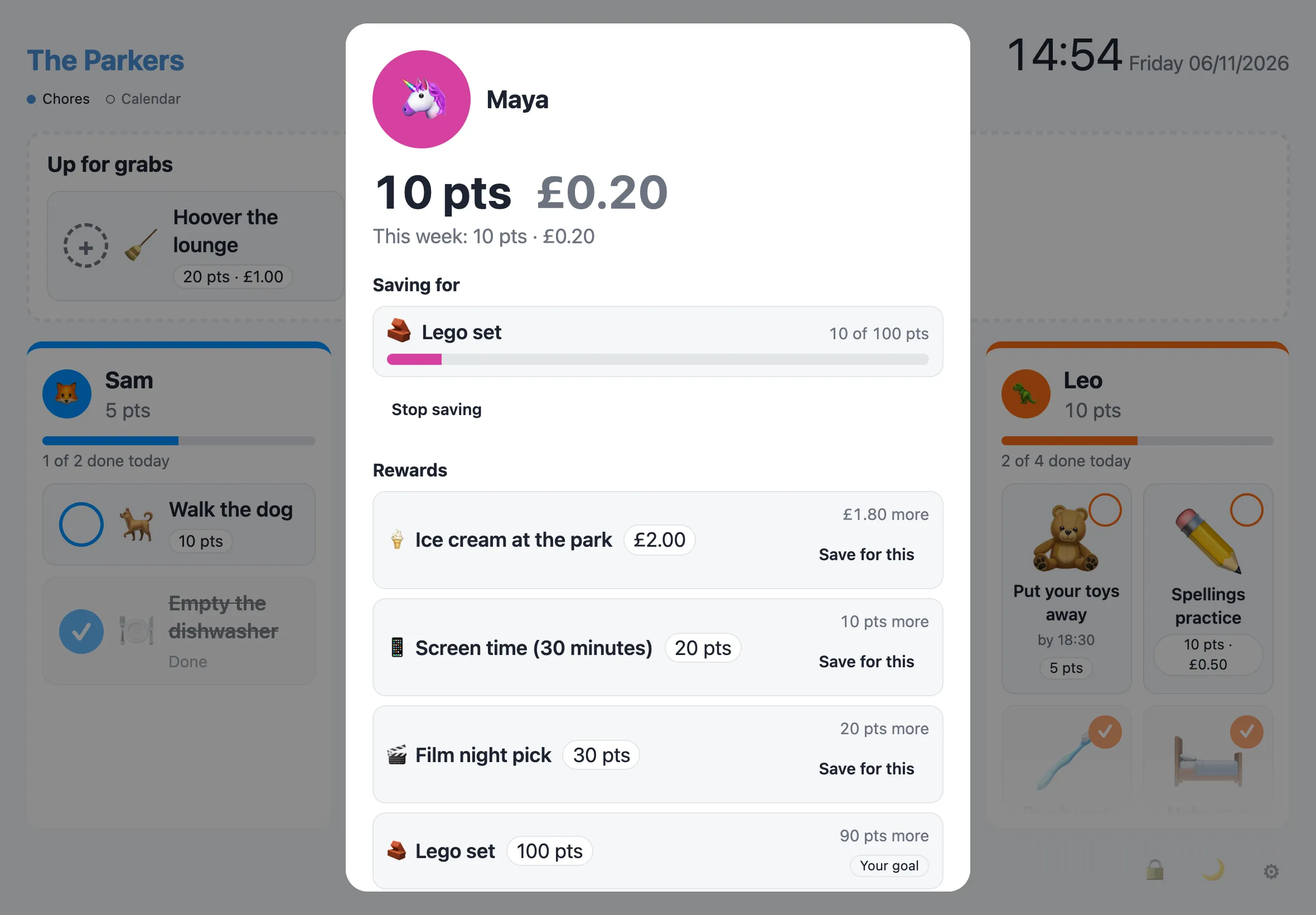
It shows their balance, what they’ve earned this week, what they’re saving for, and the household’s rewards. Rewards they can afford are highlighted, and the rest say how much more they need. See Rewards for claiming one.
Picture cards
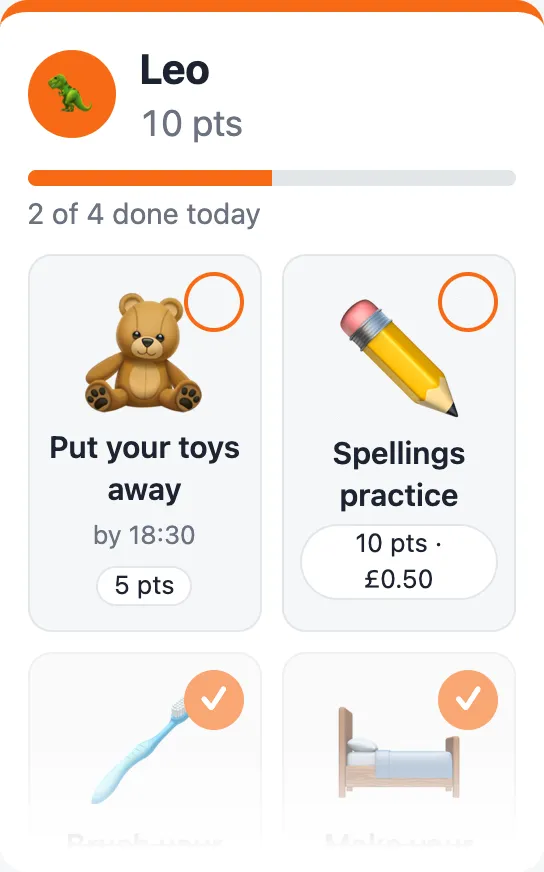
Section titled “Picture cards”For children who can’t read yet, turn on Picture cards for them in Admin › People. Their column becomes big emoji tiles, two across, with a small title and a tick in the corner. A chore without an emoji uses one suggested from its title, or ⭐. Other columns don’t change.
Grown-ups can put it right
Section titled “Grown-ups can put it right”Completions run on the honour system: the points count straight away. If something was marked done that wasn’t, an adult (unlocked on the display, or signed in on a phone) taps the done chore and chooses Reverse. The points come off and the chore goes back on the board. Completions can be reversed for 7 days.
Chores set to need a grown-up’s check show Waiting for a grown-up once they’re ticked. An adult taps them and chooses Approve or Not done yet.
Admin › Completions has it all in one place:
- Everything waiting for a grown-up: chores, and reward claims under Rewards waiting.
- Chores Missed in the last week, with Mark done.
- The last 7 days of completions, each with Reverse.
A reversal never deletes history. The points come back off through a separate adjustment, so a balance can go below zero if the points were already spent.
On tablets and phones
Section titled “On tablets and phones”On a tablet or wall display, the board fits the screen. Each person’s chores scroll inside their own column, with a fade at the bottom when there’s more. On a phone, the whole page scrolls.
Swipe left across the board, or tap Calendar under the household name, to see the calendar.