
Rewards
Rewards are what points and pocket money are spent on: screen time, picking the film, a trip for ice cream.
Setting up rewards
Section titled “Setting up rewards”Go to Admin › Rewards › Add a reward. Each one has:
- A name, such as “Film night pick”, and an optional emoji (Ingle suggests one as you type).
- Optional details.
- What it costs: points, money (£), or both.
Archive stops offering a reward. Past claims are kept.
Claiming a reward
Section titled “Claiming a reward”On the board, a child taps their avatar or name to open their sheet, then taps Claim on a reward they can afford.
- The cost is held straight away, so it can’t be spent twice. The balance shows what’s left, with the held amount next to it, and their column shows “🎁 1 waiting”.
- A grown-up approves or declines it. Unlock admin on the display and tap the waiting claim on the sheet, or go to Admin › Completions › Rewards waiting.
- Approve spends the points. Decline frees them again.
- The child can Cancel a claim that’s still waiting.
If an adult is already signed in, or has admin unlocked on the display, a claim is approved straight away.
Saving for a reward
Section titled “Saving for a reward”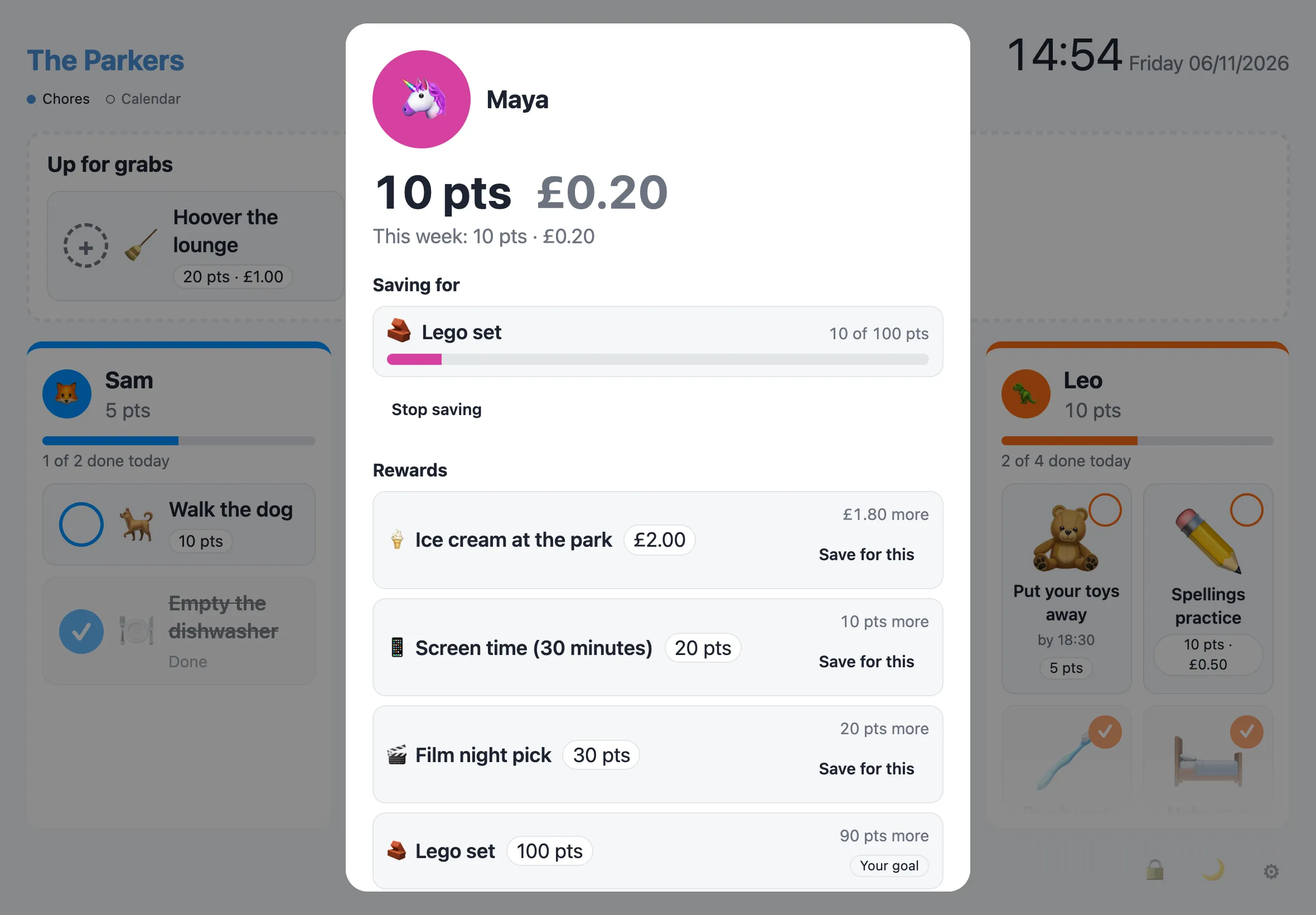
On their sheet, a child taps Save for this on a reward they can’t afford yet. It becomes their goal: their column shows its emoji, how far they’ve got (“🧱 Lego set · 60 of 100 pts”) and a progress bar.
- Each person has one goal. Picking another replaces it, and Stop saving clears it.
- Progress counts what they can spend, so points held for a waiting claim don’t count.
- For a reward that costs points and money, the bar follows whichever is further off.
- When the bar fills, a small celebration plays once on each display, and Claim appears on the goal.
- The goal clears once that claim is approved, or if the reward is archived.
Adults can set someone’s goal too, under Saving for in Admin › People.